Drop-in Checkout
Easily integrate a complete checkout experience into your product with a ready-to-use widget requiring minimal setup.
How it works
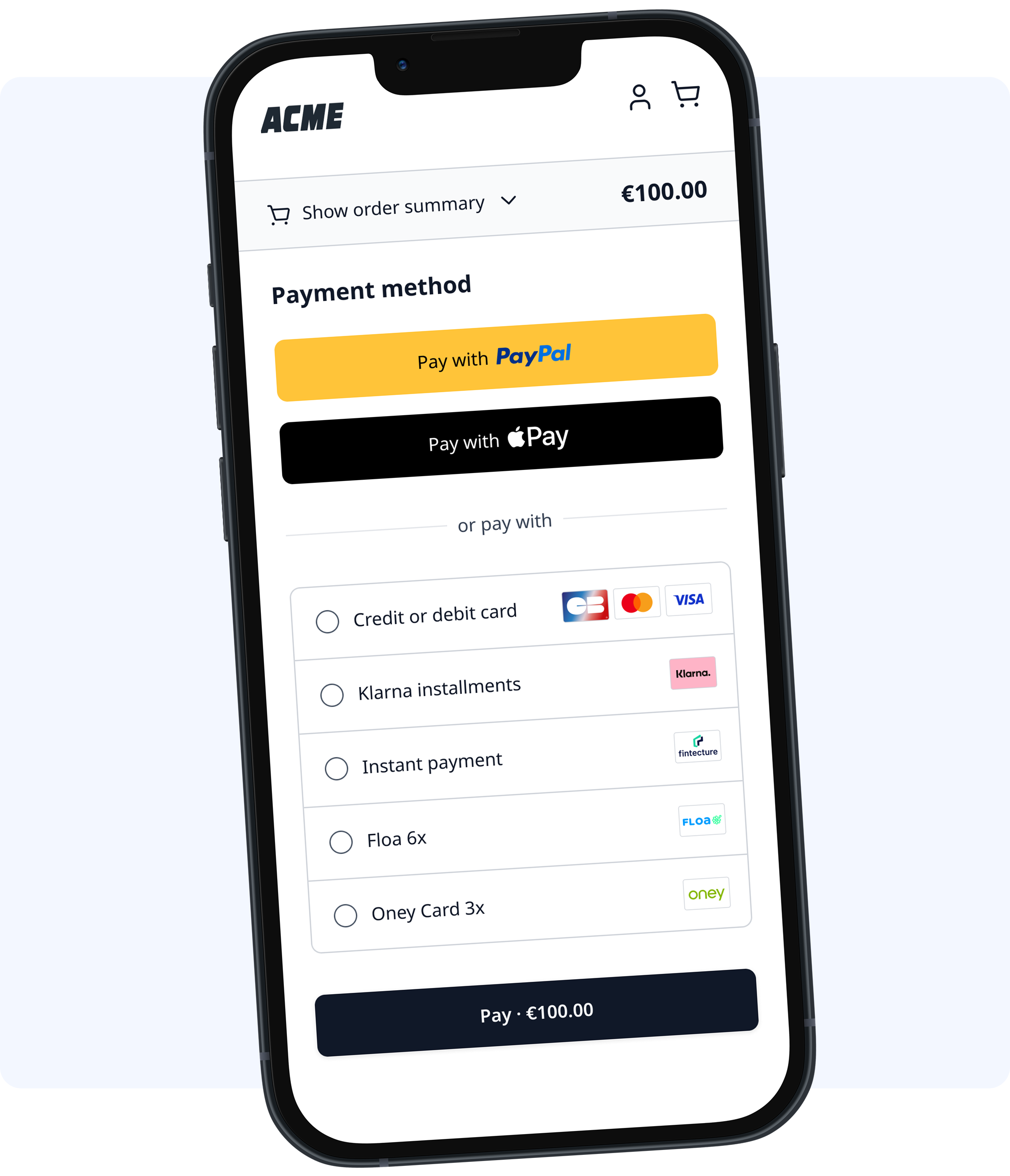
Drop-in Checkout renders a ready-to-use payment form in your application. It handles payment method display, form validation, and payment submission while you retain control over when to trigger the payment.
Key Characteristics
| Aspect | Description |
|---|---|
| Integration | One function call to initialize, one to mount, one to submit |
| UI Control | Purse controls the payment form appearance and behavior |
| Payment Methods | Displays all methods enabled in your Purse dashboard |
| Compliance | PCI-DSS compliant — sensitive data never touches your servers |
What You Build vs. What Drop-in Handles
- Drop-in handles
- You provide
- Payment method list and selection UI
- Card input fields with validation
- Error messages and loading states
- Redirect flow handling
- Localization for 13 languages
- Container element for the widget
- Client session from your backend
- Pay button and submission trigger
- Theme customization (optional)
Requirements
- Client session: Obtained from the Purse API
- Payment methods: At least one method activated in your Purse dashboard
- Browser: Chrome, Firefox, Safari, or Edge (current and previous major versions)
Supported Payment Methods
Drop-in automatically displays payment methods based on your Purse configuration:
- Cards: Visa, Mastercard, American Express, CB via Stripe, Adyen, Checkout.com, and other processors
- Digital wallets: Apple Pay, Google Pay, PayPal
- Buy Now Pay Later: Alma, Floa, Klarna, Oney, Riverty, Scalapay
- Bank payments: Bancontact, iDEAL, SEPA, MBWay
- Alternative methods: Gift cards, vouchers, loyalty cards
When to Choose Drop-in
| Scenario | Recommendation |
|---|---|
| Fast integration with minimal code | ✅ Drop-in |
| Standard checkout flow | ✅ Drop-in |
| Full control over UI components | Consider Headless Checkout |
| Custom payment form design | Consider Hosted Fields |