Hosted Page
Overview
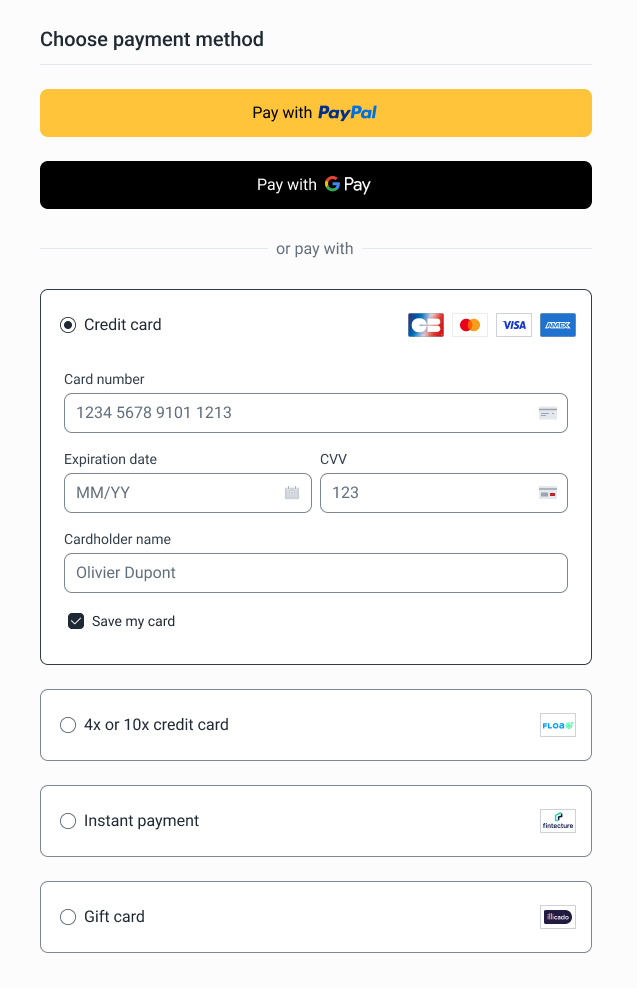
The hosted page is a secure and pre-built interface served by Purse. It allows merchants to outsource the checkout experience.
The Hosted Page mode complies with all security requirements to provide a PCI-DSS certified page.
| Feature | Description |
|---|---|
| Branding customization |
|
| Cart Summary |
|
| Redirection |
|
| Localization |
|
Preview
Integration Steps
- To generate a hosted payment page, simply create a
Client Sessionusing the client-session endpoint with the following payload:
{
  "entity_id": "your-entity-id",
  "amount": 12000,
  "currency": "EUR",
  "integration_mode": "HOSTED_PAGE"
  ...
}
- The
links.hosted_pagefield in the API response will contain the hosted page URL in the following format:
https://pay.purse-{{env}}.com/entities/{{entity-id}}/sessions/{{client-session-id}}
Abort a Payment
If the customer decides to cancel the payment, the merchant can abort the session by using the following endpoint:
- Endpoint:
/payment/v2/client-sessions/{id}/abort - Method:
POST - Client Session Abort
The user will be redirected (HTTP 303) to the redirection_urlconfigured
Payload example:
{
  "session_id": "your-session-id",
  "status": "AbortedByCustomer"
}
FAQ
How does localization work?
The hosted page supports real-time localization. The page is auto-translated using the locale in the session or browser language as fallback.
What happens if the session is invalid?
Session validation is done server-side: invalid sessions are redirected to the redirection_url.
How is branding configured?
All branding configurations (logo and colors) are pre-configured and based on the merchant's entity_id.