Purse Soft POS SDK
Welcome to the Soft POS Purse page! This guide is designed to help you quickly integrate the Purse Soft POS SDK into your application.
Installation
Step 1: Obtain the .aar File
Contact the Purse Integration Team to get the library in the form of a .aar file.
Step 2: Add .aar File to Your Project
- Copy the .aar File: Place it into the
libsdirectory of your Android Studio project. Create the folder if it doesn’t exist. - Open
build.gradle(Module: app)` - Add dependency:
implementation files('libs/PurseSdk.aar')
- Sync Gradle: Click "Sync Now" or use "File > Sync Project with Gradle Files"
ProGuard Configuration
If you are using ProGuard or R8, no additional configuration is required for the Purse SDK. The necessary rules are already bundled.
You’re now ready to start using the SDK. Explore further to implement all features, or contact our support team if you need help.
Overview of the Soft POS SDK
This document provides an overview of how to integrate and use the Soft POS SDK in your mobile application.
How Does the Soft POS SDK Work?
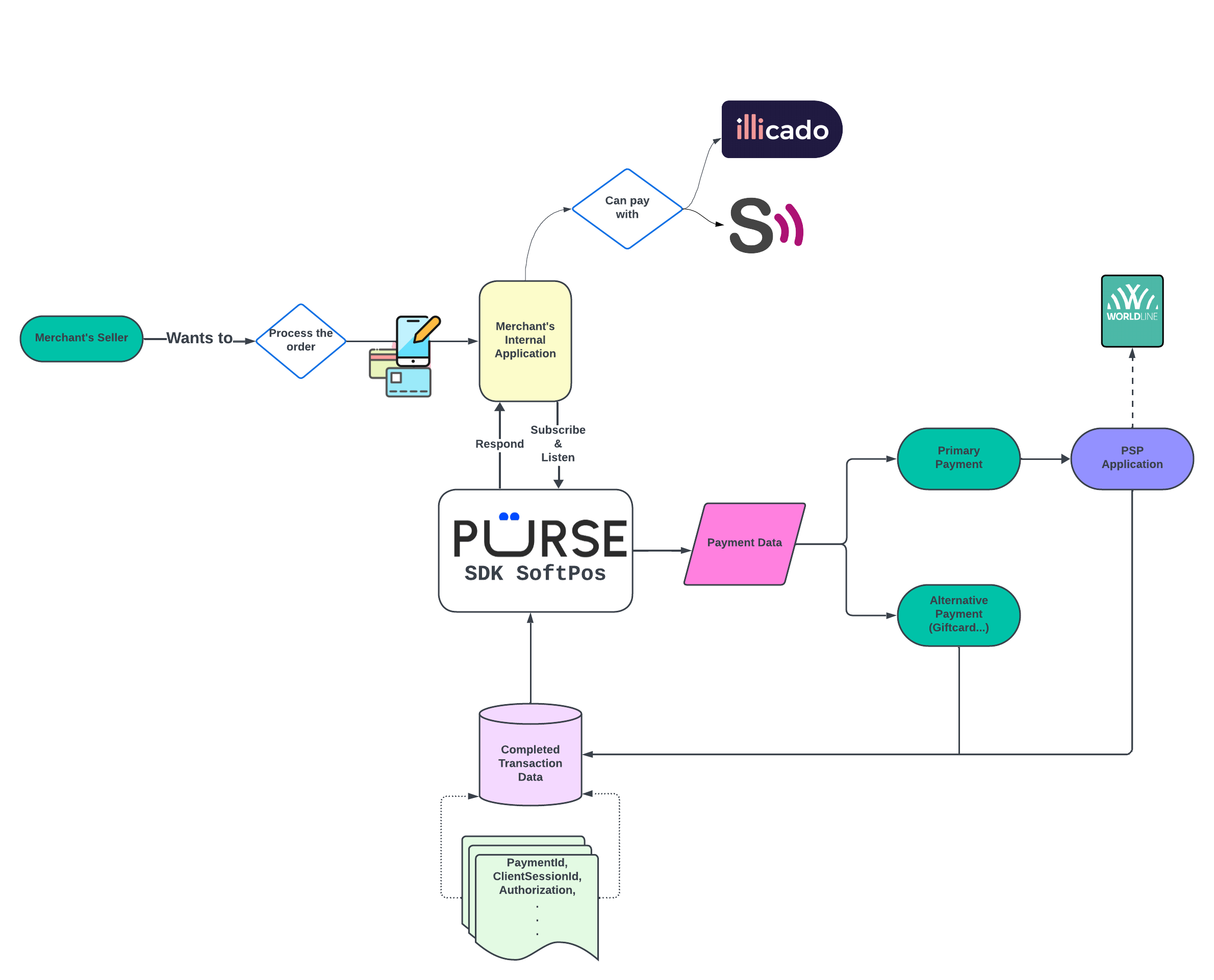
Step 1: Create a Session
To use our SDK, a valid client-session is required. Refer to the API Section for session creation.
In the create-session response, you'll find the widget.data field:
{
  "id": "f3abdc01-1dce-4663-ad02-7e65591e4cca",
  "widget": {
        "data": "aHR0cHM6Ly93d3cueW91dHViZS5jb20vd2F0Y2g/dj1kUXc0dzlXZ1hjUQ"
    }
}
Step 2: Initialize the SDK
Initialize the SDK by creating a PurseSDK object:
val purseSDK = PurseSDK()
Then launch the SDK with:
purseSDK.launch(widget.data, context)
Step 3: Handle Transaction Status and Feedback
Set a transaction listener:
purseSDK.transactionListener = this
Transaction End
You receive a PurseRedirectionData object on completion:
override fun transactionFinished(purseRedirectionData: PurseRedirectionData) {}
Example:
PurseRedirectionData(
  paymentId = "c920c394-1896-4179-b278-1503f37dd0dc",
  clientSessionId = "c9a3abdd-b583-415a-9b77-228891be74ed",
  authorizationStatus = AUTHORIZED,
  encoded = "eyJraWQiOiJiNzY5ODA5YS01ZTIwiOiJSUzI1_Q"
)
Handling Errors
override fun transactionError(error: PurseError) {}
Example error:
PurseError(message = "La session est invalide.")